

Quick Answer
The FLEXISPOT EN1 is the best white standing desk overall — one-piece seamless desktop, zero wobble, and thousands of verified owner reviews. For budget buyers, the DUMOS 48-inch delivers electric height adjustment with memory presets at just $79.91. If you already have a desk you like, the VIVO 32-inch Converter adds standing without replacing your current setup. Pairing a white desk with white bookshelves creates a cohesive, airy home office aesthetic.
Comparison Table
| # | Product | Price | Desktop | Type |
|---|---|---|---|---|
| 1 | FLEXISPOT EN1 48” | $135 | 48” × 24” one-piece | Electric |
| 2 | DUMOS 48” | $79.91 | 48” × 24” | Electric |
| 3 | VIVO 32” Converter | $140 | 32” wide | Hydraulic |
| 4 | Veken 55” | $160 | 55” wide | Electric |
| 5 | Marsail Glass 48” | $160 | 48” × 24” glass | Electric |
| 6 | FEZIBO 48” | $225 | 48” × 24” 2-piece | Electric |
| 7 | ErGear 48” | $243 | 48” × 24” 2-piece | Electric |
| 8 | Casaottima 63” L-Shape | $179.99 | 63” L-shape | Electric |
Best White Standing Desks — Full Reviews
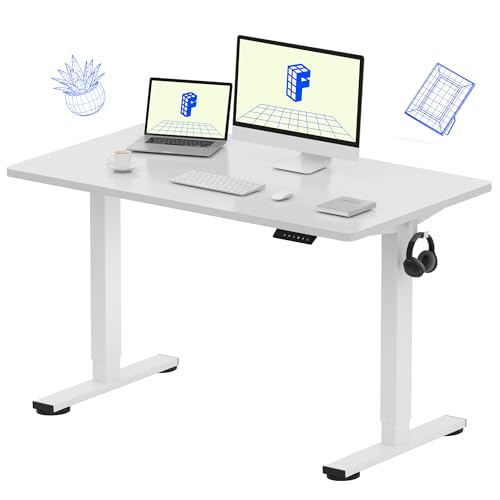
1. FLEXISPOT EN1 48-inch — Best Overall
Thousands of verified owners call this desk insanely sturdy — one reviewer said their last desk was rickety pressed board and the FLEXISPOT feels like a completely different class (R02). It is the only desk in this lineup with a one-piece seamless desktop, which means no split boards, no visible seams, and no splice joints to worry about (R02). Everything arrives in one box and assembly takes about 45 minutes (R02).
The motor moves the desk silently and there is zero wobble at any height (R02, R07). A 24-inch monitor, 16-inch laptop, lamp, keyboard, and mouse all fit with room for drinks and food (R02). The desk frequently goes on sale for around $110, which makes it one of the best values in the category (R02).
The minimum sitting height may be too high for shorter users — one reviewer titled their review “Not for short people” and detailed the ergonomic issue (R02). There is no built-in storage or USB ports. For a full comparison with other sizes, see our best standing desks guide.
What we like:
- Only one-piece seamless desktop in this lineup (R02)
- Zero wobble at any height — “insanely sturdy” (R02)
- Motor moves silently (R02)
- Fits dual monitors plus laptop with room to spare (R02)
What could be better:
- Minimum height too high for shorter users (R02)
- No built-in storage or USB ports
- Assembly takes about 45 minutes
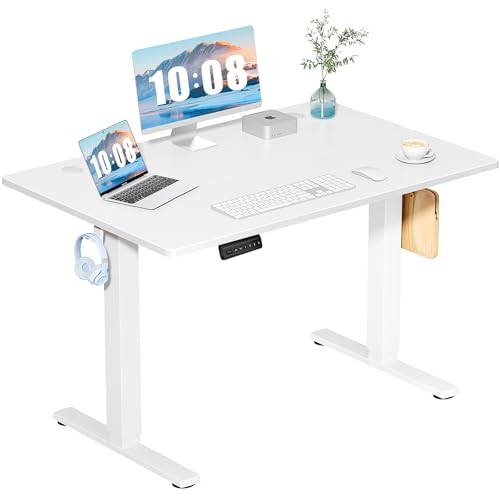
2. DUMOS 48-inch — Best Budget Electric
At $79.91, the DUMOS is the cheapest electric standing desk in this lineup and it comes with three memory presets — a feature usually reserved for desks twice the price (R01). The instructions are well-organized and one reviewer said they are better than IKEA instructions (R01). The steel frame feels heavy-duty, and the motor is fairly quiet compared to other standing desks (R01).
The catch is the desktop arrives in separate boards, not one solid piece (R01). One reviewer was surprised to find three pieces when they expected one, though they assemble well enough (R01). You will need a power drill because hand-tightening the bolts takes too long (R01).
One reviewer titled their review “Don’t Get If You Expect Any Customer Support” (R01). Some bolt holes are improperly threaded, which means you may need to re-thread them with a spare bolt (R01). For $80, these tradeoffs are expected — but know what you are signing up for.
What we like:
- Cheapest electric desk at $79.91 with three memory presets (R01)
- Well-organized instructions better than IKEA (R01)
- Quiet motor with smooth height adjustment (R01)
- Heavy-duty steel frame feels solid (R01)
What could be better:
- Multi-piece desktop with visible seams (R01)
- Needs power drill for assembly (R01)
- Customer service is nonexistent (R01)
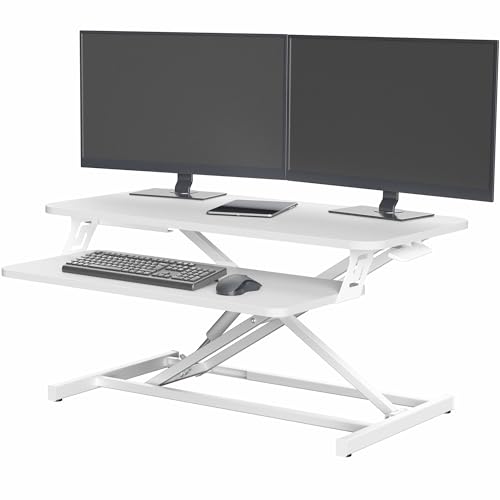
3. VIVO 32-inch Converter — Best for Existing Desks
The VIVO Converter is the only product in this lineup that does not replace your desk — it sits on top of your existing desk and raises your monitors and keyboard to standing height (R03). Setup takes under 30 minutes and requires no tools beyond what is included (R03, R04). The hydraulic lift mechanism works smoothly with no motor, which means silent operation and no electrical components to fail (R02).
One reviewer specifically chose the VIVO because the white finish matched their current desk perfectly (R03). It fits dual monitors and a laptop on the 32-inch surface (R03). The bottom shelf can overhang your desk edge by about 20 inches and still be stable (R01).
The tradeoff is wobble — three reviewers confirmed that monitors jiggle when typing, and the shake is noticeable with a walking pad (R02, R04). The keyboard tray is not adjustable, which is an ergonomic limitation for long typing sessions (R04, R05), and the hydraulic mechanism rises faster than expected so keep a hand on your gear (R06). For more converter options, see our best small standing desks guide.
What we like:
- No assembly — sits on existing desk, ready in under 30 minutes (R03, R04)
- Silent hydraulic operation with no motor to fail (R02)
- White finish matches existing white desks (R03)
- Fits dual monitors plus laptop (R03)
What could be better:
- Monitors wobble when typing or using walking pad (R02, R04)
- Keyboard tray is not adjustable (R04, R05)
- Hydraulic rises too fast — watch your gear (R06)
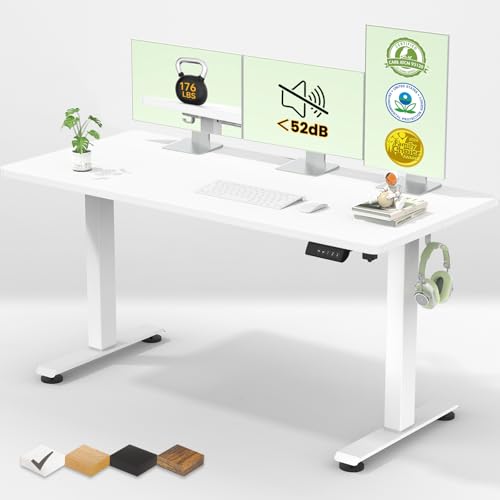
4. Veken 55-inch — Best Large Workspace
The Veken has the largest non-L-shaped desktop in this lineup at 55 inches, and one reviewer bought it twice — once for work and once for home (R04). Assembly is easy enough that one owner compared it to a kindergarten puzzle (R04). Hardware is bagged individually by type and step, so finding the right piece is a breeze (R04).
The motor lifts and lowers smoothly with no jerking (R04), and the height adjustment is smooth and quiet (R07). The steel frame is heavy, which contributes to stability (R04). One reviewer noted there is no storage drawer, but at 55 inches the surface area more than compensates (R05).
There is one critical assembly step that is easy to miss — a tiny set screw that holds the inner leg to the outer leg. One reviewer forgot to tighten it and the desk wobbled until they found the problem (R08). A plastic cable management piece in the back feels cheap (R06), and the smooth surface makes keyboards slide around — one owner added shelf liner to fix it (R01).
What we like:
- Largest non-L-shaped desktop at 55 inches (R04)
- Repeat buyer — bought for work and home (R04)
- Smooth, quiet motor with no jerking (R04, R07)
- Easy assembly with individually bagged hardware (R04)
What could be better:
- Must tighten hidden set screw or desk wobbles (R08)
- Plastic cable management piece feels cheap (R06)
- Keyboard slides on smooth surface (R01)
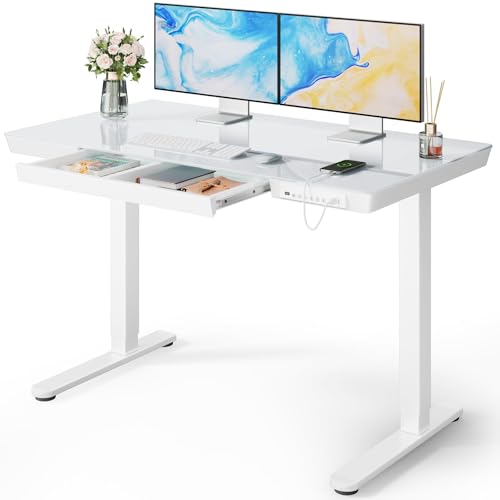
5. Marsail Glass 48-inch — Best Design
The Marsail is the only desk in this lineup with a tempered glass top and a built-in drawer — one reviewer opened with “It is GORGEOUS” and confirmed the glass top looks great (R05). The drawer is a genuine convenience that no other desk here offers, and USB charging ports are built into the desk as well (R01). A 24-inch iMac and a 24-inch monitor both fit comfortably (R08).
The motor is smooth and quiet, and you can program your sitting and standing heights so one button takes you to either position (R07). One owner has used theirs for a full year and still loves the glass top (R08).
The concern is assembly — one reviewer found mounting holes improperly sized, which made putting the desk together very difficult and frustrating (R05). Forced assembly with a glass top is a genuine safety concern, and another reviewer received a dented leg and never heard back from customer service (R04). The glass shows fingerprints easily and needs frequent wiping, and with only a few hundred reviews this is a newer product with less proven reliability.
What we like:
- Gorgeous glass top with built-in drawer (R01, R05)
- USB charging ports included
- Programmable sit/stand height buttons (R07)
- One-year owner still loves it (R08)
What could be better:
- Improperly sized mounting holes make assembly difficult (R05)
- Customer service unresponsive to damage complaints (R04)
- Glass shows fingerprints easily
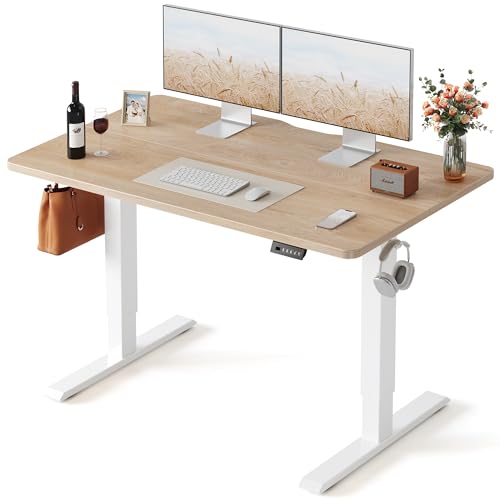
6. FEZIBO 48-inch — Most Sturdy
Thousands of verified owners confirm the FEZIBO is a beast — one reviewer knew it would be sturdy just from the weight of the box (R06). The electric motor is smooth, quiet, and stable at any height (R01). Multiple reviewers bought a second one for another room, and one owner uses it as a sewing table, cutting table, and even an ironing board (R07).
The desk has no wobble while typing (R03), and the clean white frame with maple top gives it a modern look that works in home offices and creative spaces (R08). Cable management is good and the overall build feels like a long-term investment (R01).
Assembly is the main complaint — one reviewer called the instructions seriously lacking, and the process is time-consuming because there are lots of screws (R05, R04). The desktop uses a two-piece splice board, not one solid piece like the FLEXISPOT. At over 60 pounds, it is heavy and needs two people to flip during assembly (R05).
What we like:
- Exceptionally sturdy — “a beast” with no wobble (R05, R03)
- Smooth, quiet motor at any height (R01, R02)
- Repeat buyers getting a second one (R08)
- Versatile — used as sewing and cutting table (R07)
What could be better:
- Instructions seriously lacking (R05)
- Time-consuming assembly with lots of screws (R04)
- Two-piece splice board, not one solid top
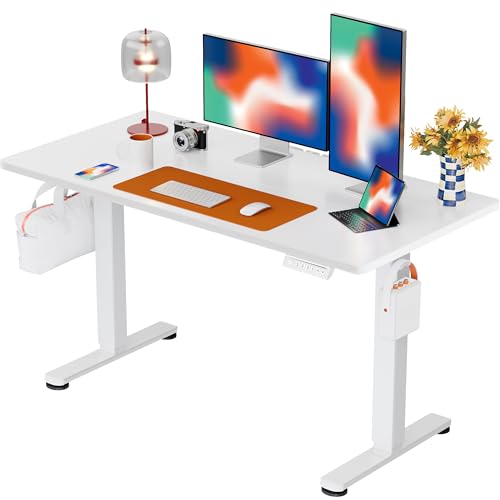
7. ErGear 48-inch — Best for Heavy Setups
The ErGear has more verified owner feedback than any other desk in this lineup, and one reviewer mounted three monitors, a medium-sized PC, and peripherals on it with no stability issues (R07). Another confirmed it holds monitors, a work PC, switches, a speaker system, keyboard, and mouse with ease (R07). The programmable memory buttons are quiet enough that no one hears the motor during calls (R06).
Assembly instructions are the best in this lineup — brackets and plates are stamped with direction arrows that match the guide exactly, and hardware is labeled and packaged separately (R07). A 70-year-old assembled the desk solo (R07). One owner has used theirs for over a year and a half with no issues (R05).
The desktop comes in two pieces with cam fasteners that make it very rigid — not one solid piece like the FLEXISPOT (R07). At $243, it is the most expensive standard-size desk here, and there are no built-in USB ports or power outlets (R07). You are paying for proven durability and the strongest confirmed weight capacity in the group.
What we like:
- Holds three monitors plus a full PC setup (R07)
- Best assembly instructions with labeled hardware (R07)
- Programmable buttons, whisper-quiet motor (R06)
- One-and-a-half-year durability confirmed (R05)
What could be better:
- Most expensive standard-size desk at $243
- Two-piece desktop with cam fasteners (R07)
- No USB ports or power outlets
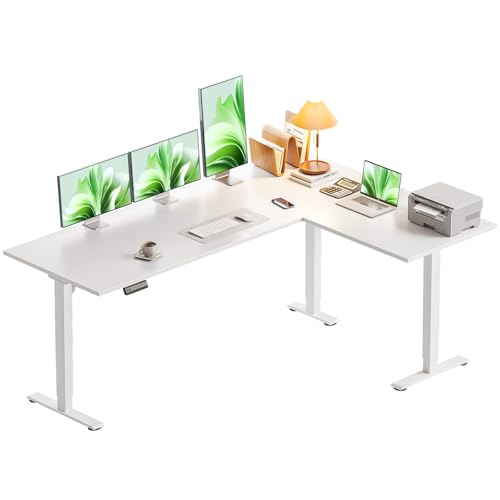
8. Casaottima 63” L-Shape — Best Corner Setup
The Casaottima is the only L-shaped desk in this lineup. The reversible return installs on the left or right so it wraps around your seating position, and the 63-inch span is the most surface area of any desk here.
The electric frame adjusts from 28.4 to 45.7 inches with a memory keypad. At $179.99 it sits between the mid-range 48-inch desks and the ErGear, so you are not paying a corner-desk premium just to get the L-shape.
The trade-off is simplicity. This is a clean L-shaped sit-stand frame without extra drawers or lighting. If you want a corner setup and a white finish, that is the point of this pick.
What we like:
- Only L-shaped desk in this lineup
- Reversible return installs left or right
- Electric height adjustment with a memory keypad
- 63-inch span is the most surface area here
What could be better:
- No enclosed storage or extra lighting
- More parts to assemble than a one-piece rectangular desk
- White finish shows fingerprints and dust
How to Choose a White Standing Desk
One-Piece vs Multi-Piece Desktops
Only the FLEXISPOT EN1 and Marsail Glass have one-piece desktops — every other desk uses two or three boards with visible seams (R01 P1, R07 P7). The ErGear cam fasteners make its two-piece top very rigid (R07 P7), while the DUMOS multi-piece board is the roughest in the group (R01 P1). If a seamless surface matters, the FLEXISPOT is the clear choice.
Electric vs Hydraulic vs Manual
Electric desks like the ErGear 48-inch offer memory presets and push-button adjustment — the ErGear’s motor is quiet enough that no one hears it during calls (R06 P7). Hydraulic converters like the VIVO have no motor to fail and operate silently, but the mechanism rises fast and the keyboard tray is not adjustable (R04 P3, R06 P3). Electric desks cost $80 to $243; the converter sits in the middle at $140.
Desktop Width and Your Setup
Under 32 inches is laptop-only, and the DUMOS now sits right at the 48-inch sweet spot alongside the FLEXISPOT, Marsail, FEZIBO, and ErGear — all handle dual monitors plus peripherals comfortably (R02 P2, R08 P5). The Veken at 55 inches is the widest non-L option, and the Casaottima L-shape at 63 inches gives you the most surface area — measure your room and leave 36 inches for your chair.
White Finish Types and Maintenance
White laminate on the FLEXISPOT and ErGear hides dust and fingerprints well and wipes clean with a damp cloth. Glass white tops like the Marsail look stunning but show fingerprints constantly and need frequent wiping (R05 P5), while matte white like the VIVO converter was specifically chosen to match an existing desk (R03 P3). Gloss white shows more smudges than matte, so avoid placing coffee cups directly on white laminate — ring stains are more visible on light surfaces.
Customer Service Matters
At any price point, assembly issues can happen — the DUMOS and Marsail both have reports of unresponsive customer service (R01 P1, R04 P5). The FLEXISPOT gets praise for quick responses and replacements (R02 P2). If you are buying a budget desk where QC is less consistent, factor in whether the seller will help if something arrives broken.
Assembly Time and Tools
The VIVO converter is the fastest at under 30 minutes with no frame to build (R03 P3), and the Veken takes about 30 minutes — one reviewer compared it to a kindergarten puzzle (R04 P4). The DUMOS needs a power drill because hand-tightening bolts takes too long (R01 P1), and the Casaottima L-shape has the most parts in the group. If you are not handy, the converter or the ErGear with its excellent labeled instructions are your best bets (R07 P7).
Frequently Asked Questions
Do white standing desks get dirty easily?
Smooth white surfaces show dust and fingerprints more than dark desks, but they also wipe clean with a damp cloth. Glass tops like the Marsail show fingerprints the most (R05 P5). Matte white laminate on the FLEXISPOT and ErGear hides smudges better than glossy finishes.
Is a white standing desk good for a home office?
White desks make small rooms feel larger and brighter, which is why they are popular in apartments and home offices. The VIVO converter blends right in with an existing white desk (R03 P3). For a full setup guide, see our best standing desks resource.
What is the cheapest white standing desk with electric height adjustment?
The DUMOS 48-inch at $79.91 is the cheapest electric white standing desk with memory presets (R01 P1). The tradeoff is a multi-piece desktop instead of one solid board, and customer service is essentially nonexistent if something goes wrong (R01 P1).
Do white standing desks wobble at standing height?
It depends on the model, not the color — the FLEXISPOT EN1 and ErGear are rock-solid at any height (R02 P2, R07 P7). The DUMOS may wobble slightly at maximum height, and the VIVO converter wobbles when typing, which is inherent to all desk converters (R02 P3, R04 P3).
Can a white standing desk hold dual monitors?
Desks 48 inches and wider handle dual monitors easily — the ErGear holds three monitors plus a PC with no issues (R07 P7). The DUMOS at 48 inches handles dual monitors without cramping. Anything under 32 inches is laptop-only territory.